# Vuex - Vue State Management - Part I - Introduction
I believe data passing is the most fundamental concept while building frontend applications. You build your application by breaking it down into components and, these components should communicate with each other. They communicate with each other by passing data between them. In other words, they are sharing their current state.
### Parent to child communication
When a parent component wants to send some data to the child component, props are used. The child component defines what props it expects and the parent component injects the values into the child component using props.
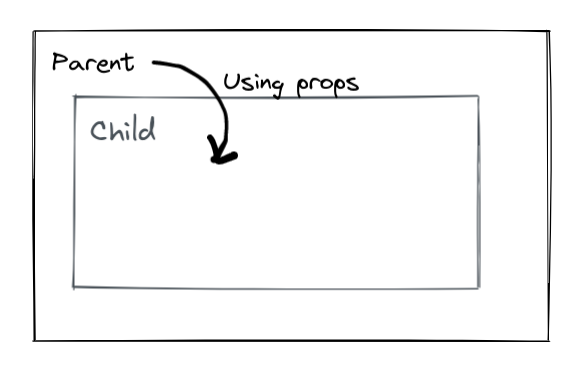
The `ChildComponent` expects `cityId` and `cityName` as props and displays it.
```
// ChildComponent.vue
City Id: {{ cityId }}
City Name: {{ cityName }}
```
The `ParentComponent` has `myCityId` and `myCityName` defined in the data. While using the `ChildComponent`, `myCityId` and`myCityName` are passed in the `cityId` and the `cityName` props respectively.
```
// ParentComponent.vue
```
### Child to parent communication
When any event triggers in the child, the parent may want to know about this. This is done using the `$emit` function. The most common use case you will come across is where you have a list of items in your parent component and each list item is rendering a child component. The child component may have some functionalities in itself and any events in the child component should be notified to the parent component.
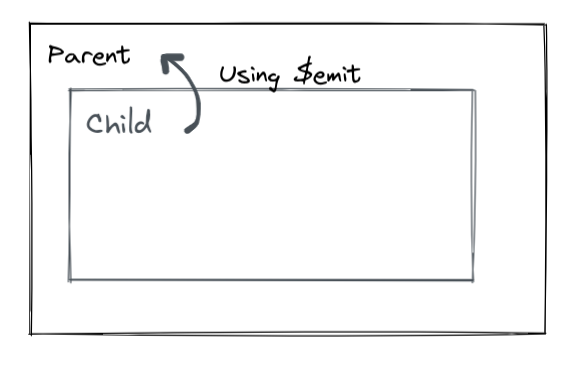
Let's say we have a button and on its click, we want to pass this data to the parent.
In the click method, we call `this.$emit(EMIT_EVENT_NAME, DATA_FOR_THE_PARENT)`, so here we call `this.$emit("on-select-city", { cityId: this.cityId })`
```
// ChildComponent.vue
City Id: {{ cityId }}
City Name: {{ cityName }}
```
The `ParentComponent` is rendering a list of `cities` and each city is rendered using a `ChildComponent`. While defining the `ChildComponent`, it also mentions it to listen to an event named `on-select-city`. This event name is the emit event name which was used in the `ChildComponent`. The method in the `ParentComponent` which was tied to the `@on-select-city` event receives the payload.
```
// ParentComponent.vue
```
### Sibling components communication
The sibling components cannot share data directly with each other. If `Child A` wants to send some data to `Child B`, the `Child A` will have to emit the data to the `Parent` and the `Parent` will have to pass this data using props to `Child B`.
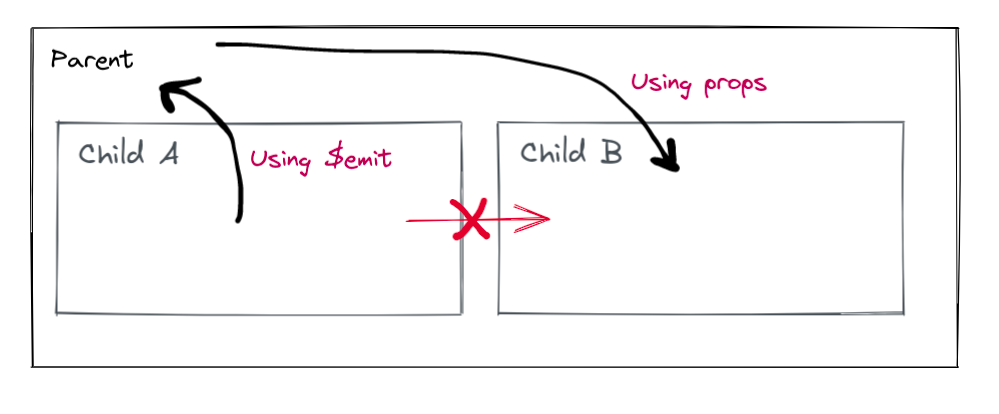
This works just fine. But once your application grows bigger and the number of components increases, this method becomes difficult to manage and maintain.
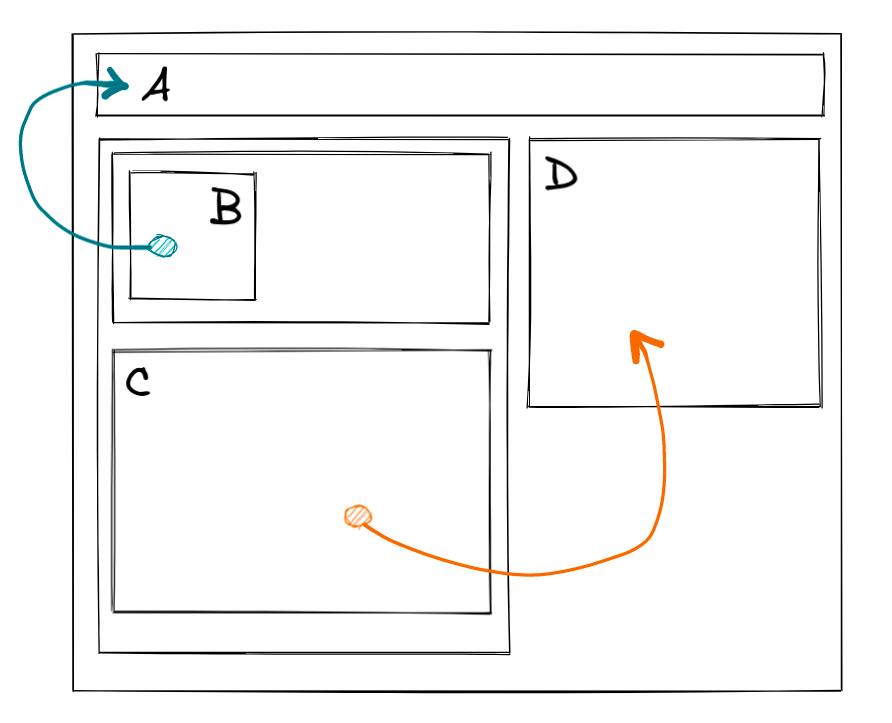
Imagine passing data from B to A or C to D using the props and emit method. It definitely will be a nightmare!
### Global State Management - Vuex
If you notice, all the issues of managing and passing the data are because the state of each component is in the component itself. Since multiple pieces are of state are scattered all across the application and this application grows in size, the complexity increases. If we can extract the state out of the components and manage it as one global instance, this is where Vuex comes in.
Vuex serves as a centralized store for all the components in an application, with rules ensuring that the state can only be mutated in a predictable fashion.
> Flux libraries are like glasses: you’ll know when you need them. - Dan Abramov, the author of Redux
To start using, first [install Vuex.](https://vuex.vuejs.org/installation.html)
A store is the most important piece of Vuex which holds the application state. Stores are reactive and components that get their state from the store will reactively and efficiently update according to the store's state changes.
Let's create an empty store. The store consists of the state, getters, mutations, and actions (which will be elaborated in the upcoming parts of this series).
```
// store/index.js
import Vue from "vue";
import Vuex from "vuex";
Vue.use(Vuex);
export default new Vuex.Store({
state: {},
getters: {},
mutations: {},
actions: {},
});
```
Register this store in the `main.js` file.
```
// main.js
import Vue from "vue";
import App from "./App.vue";
import router from "./router";
import store from "./store";
Vue.config.productionTip = false;
new Vue({
router,
store,
render: (h) => h(App),
}).$mount("#app");
```
That's it. Now the store is ready to use.
I hope you understood basic component communication using props and $emit, where it lacks, and where Vuex comes in. In the next part, we'll see how to use the state and the getters.
Thanks for reading!